|
Why not 'Test Drive' the Audio Pod Player. No need to register, just download and install the Audio Pod software then have fun trying out its many features and capabilities using these fine audio books.
Audio Pod uses new and revolutionary concepts in audiobook distribution and use. We recommend that you first review the Getting Started Pages and the
AudioPod Documentation.
Loading The Books
Method 1, Mouse Drag & Drop
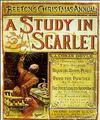
Use the mouse to Drag and Drop audiobook cover art directly into the Audio Pod Player.
Method 2, Keyboard Copy and Paste
1. Tab to the book cover of the selected book. (CTRL ALT PERIOD)
2. Press the 'Application Menu Key' on the keyboard. (CTRL SHIFT F10)
3. From the Application Menu, select 'Copy Shortcut' or 'Copy Link Location'.
4. Switch focus to the Audio Pod Player. (ALT TAB)
5. Paste the selected book into the Audio Pod Player. (CTRL V)
Method 3, Android Devices
1. Use the Social Space button to bring up the Test Drive web page.
2. Select a book by pressing the book cover until program menu is displayed.
3. Select 'Copy link URL'.
4. Return to the Audio Pod App and press the Android's Menu button.
5. Select 'Paste Bookmark'.
|